 BranchShell
Beekeeper Studio alternative, native not Electron
Beekeeper Studio is a friendly, open source SQL editor built on Electron, with a free Community edition and paid plans, billed per user, for editable results, import and export and more engines. BranchShell is written in Rust and drawn on the GPU, with every feature in one edition and an SSH client around the SQL client.
No account. No card. No renewal. macOS, Windows and Linux, with apps for iPhone, iPad and Android.


Beekeeper Studio's Community edition costs nothing. The BranchShell desktop app costs $20 once, and is not a subscription either.
You pay one time, for 2 computers, for a native client that does more. No plan, no renewal and no account.
$20 once for 2 computers, updates forever
Community is free and open source; paid plans from $9 a user a month, billed yearly
That is BranchShell on your computer. Its iPhone, iPad and Android apps are sold apart by the App Store and Google Play: free for 14 days, then $14.99 a year.
BranchShell and Beekeeper Studio compared
What each client is built with, what it costs and what it does in the app. Facts about the other client come from its own website and may change.
| Feature | BranchShell | Beekeeper Studio |
|---|---|---|
| Licence | BranchShell Pay once: $20 for 2 computers, no renewal | Beekeeper Studio Community is free and open source; paid plans from $9 a user a month, billed yearly |
| Desktop platforms | BranchShell macOS, Windows, Linux | Beekeeper Studio macOS, Windows, Linux |
| Phone and tablet apps | BranchShellBetter: iPhone, iPad and Android, for PostgreSQL, MySQL and SQLite; free for 14 days, then $14.99 a year | Beekeeper StudioWorse: No |
| Built with | BranchShellBetter: Rust, drawn on the GPU | Beekeeper StudioWorse: Electron and Vue.js |
| Account to use it | BranchShell None | Beekeeper Studio None for Community |
| Database engines | BranchShellWorse: Eight SQL engines: MySQL, MariaDB, PostgreSQL, SQLite, SQL Server, ClickHouse, Redshift and Turso | Beekeeper StudioBetter: More than twenty, over half of them in the paid plans |
| Through an SSH host | BranchShellBetter: Pick a host from the vault, with its keys and jump hosts | Beekeeper StudioWorse: SSH tunnel and a bastion host; no ProxyJump |
| Query console | BranchShell Autocomplete, the statement under the cursor or several, a result tab each | Beekeeper Studio Autocomplete, tabs, saved queries and history |
| Editing data and tables | BranchShell Cells edited in the grid and submitted together; Modify table shows its SQL | Beekeeper Studio Table editing; editable query results in the paid plans |
| Import and export | BranchShell CSV import; export as CSV, JSON, SQL and more; dump and restore with the engine's tools | Beekeeper Studio CSV, JSON and SQL export and CSV import, both in the paid plans |
| SSH terminal | BranchShellBetter: Yes, with split panes, snippets and mosh | Beekeeper StudioWorse: No; SSH only tunnels to the database |
| SFTP and port forwarding | BranchShellBetter: Two-pane SFTP with S3 and R2, and saved forwards | Beekeeper StudioWorse: No |
The better side The worse side No colour: the same on both
What is said about Beekeeper Studio was checked against www.beekeeperstudio.io on 26 November 2026.
Why developers pick BranchShell over Beekeeper Studio
Native, not Electron
No bundled browser. BranchShell opens in a blink and its grid is drawn on the GPU, so a wide table scrolls without stutter.
One edition, paid once
$20 for 2 computers buys every feature for good: CSV import, editing and every engine, with no plan per user and no renewal.
Jump hosts that work
A connection goes through an SSH host from the vault, along the chain of jump hosts that host already has, with its key or its FIDO2 security key.
More than an editor
Terminals, SFTP and port forwards in the same window, and apps for iPhone, iPad and Android that query PostgreSQL, MySQL and SQLite. The apps are free for 14 days, then $14.99 a year.
What Beekeeper Studio does that BranchShell does not
- A free, open source Community edition
- More engines, with Oracle, MongoDB and Snowflake in the paid plans
- Cloud workspaces that share connections and queries with a team
- An AI shell for writing queries
- A JSON view of a row, in the paid plans
If one of these is part of your day, keep Beekeeper Studio. The rest of the time, BranchShell keeps your databases next to the servers they run on, for one payment.
Your databases, in your pocket.
BranchShell for iPhone, iPad and Android is the companion to the desktop app. Scan one QR code and your vaults are on the phone, opened with your face or fingerprint. Or start fresh there, with no computer at all.
Free for 14 days, then $14.99 a year in the App Store and Google Play, apart from the desktop licence. No account.
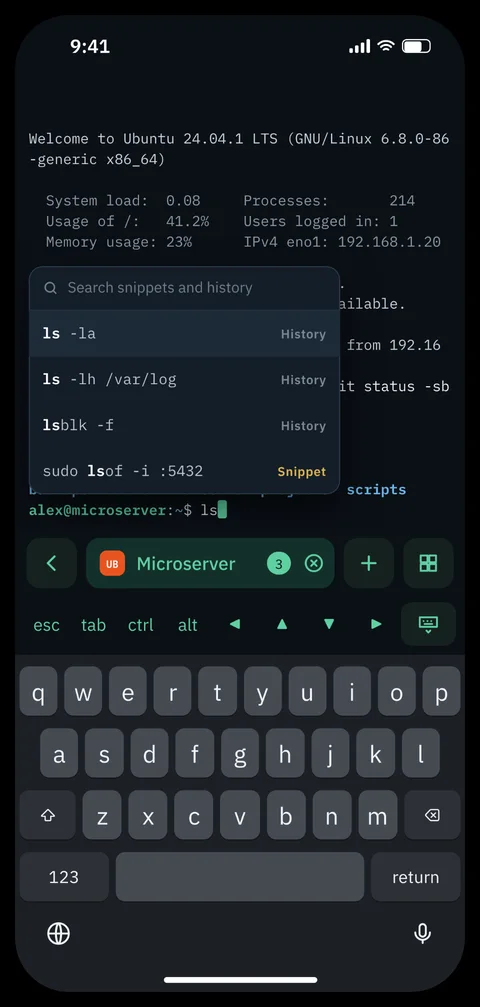
A terminal for your thumbs
Extra keys for Esc, Tab, Ctrl, Alt and the arrows, and autocomplete from your snippets and history.
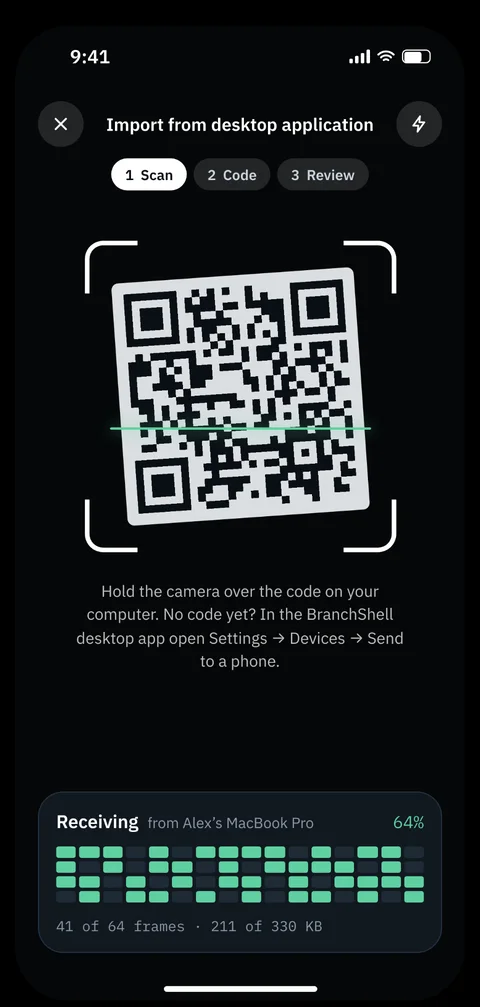
Your vaults, by QR code
Hosts, keys, snippets and forwards cross from the desktop sealed under a one-time code. No cloud.
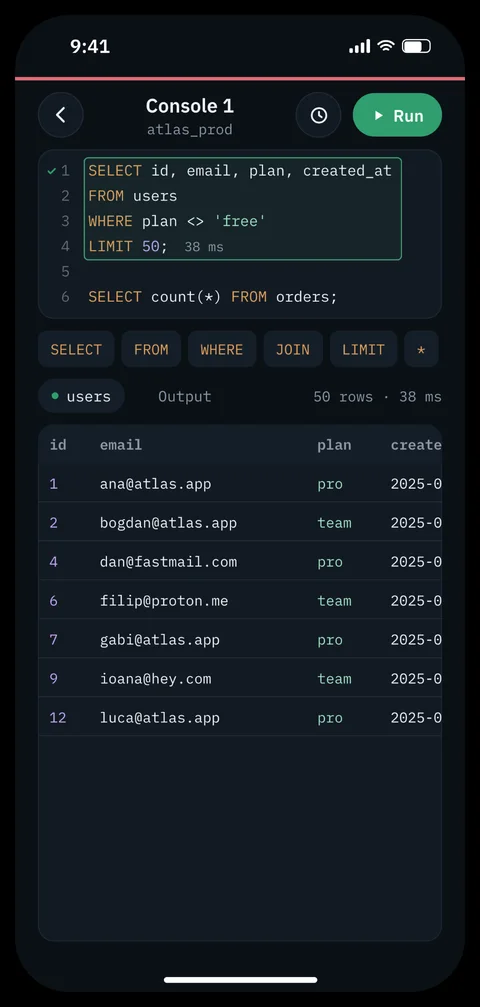
Databases too
PostgreSQL, MySQL and SQLite, direct or through an SSH host, with a table browser and a console.
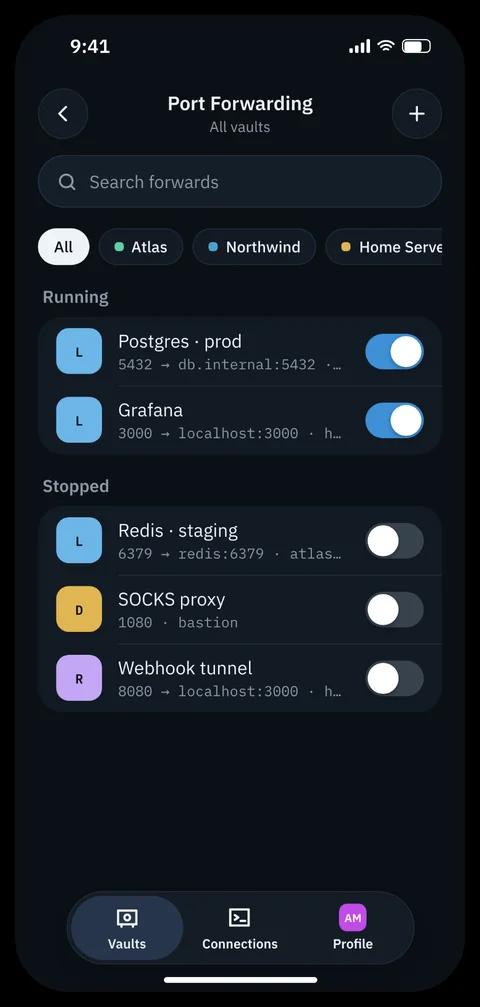
Every tunnel, one switch
Port forwards to the services behind your servers, and SFTP to their files.
Is BranchShell open source like Beekeeper Studio?
Is BranchShell free like the Beekeeper Studio Community edition?
Can I try BranchShell before leaving Beekeeper Studio?
What does BranchShell cost?
Try it next to Beekeeper Studio.
Add a connection, or reach a database through an SSH host you already have. Nothing to sign up for, nothing to renew and nothing to uninstall until you are sure.